


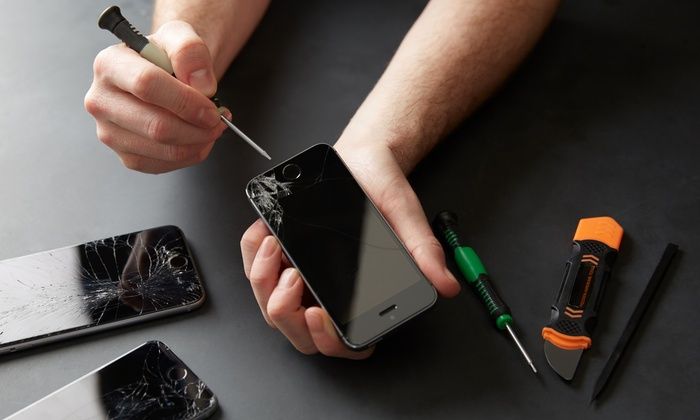
Mobile Repairing Tools play an important role in diagnosing smartphone faults and repairing damaged electronic components. Smartphone motherboards contain tiny circuits, integrated circuits (ICs), connectors, and other sensitive components that require specialized equipment and careful handling.
For mobile repair technicians, having the right tools can make motherboard inspection, electrical testing, and component replacement more manageable. Whether you operate a repair shop or want to develop advanced smartphone repair skills, understanding the purpose of each tool is essential.
In this guide, we will explore seven essential Mobile Repairing Tools for smartphone motherboard repair, explain their uses, and discuss how to choose suitable equipment for your workshop.
Why Are Mobile Repairing Tools Important for Motherboard Repair?
A smartphone motherboard controls important functions such as charging, power management, audio, connectivity, and communication between internal components. A fault in a small component or circuit connection can affect one or more of these functions.
Using unsuitable tools can damage circuit tracks, connectors, or nearby components. Professional Mobile Repairing Tools help technicians inspect small components, measure electrical values, and perform precision repair procedures.
The right equipment can help technicians:
- Inspect tiny motherboard components and solder joints.
- Identify certain power supply and continuity problems.
- Perform controlled soldering and component replacement.
- Hold circuit boards securely during repair work.
- Reduce the risk of accidental damage when used correctly.
However, tools alone cannot identify every fault. Technicians also need circuit knowledge, diagnostic skills, and a systematic troubleshooting process.
7 Essential Mobile Repairing Tools for Smartphone Motherboard Repair
1. Digital Multimeter
A digital multimeter is one of the most important diagnostic tools in a smartphone repair workshop. It measures electrical values such as voltage, resistance, and continuity.
Technicians use multimeters to investigate charging faults, broken connections, suspected short circuits, and power-related issues.
What to check before buying:
- Suitable voltage and resistance measurement ranges.
- Reliable test probes and clear displays.
- Continuity testing functionality.
- Appropriate electrical safety ratings.
- Durable construction for regular workshop use.
A multimeter helps technicians collect useful measurements before deciding which component or circuit requires further inspection.
2. Temperature-Controlled Soldering Station
A soldering station is used for tasks such as repairing solder joints, replacing suitable connectors, and working with certain electronic components.
Temperature control allows technicians to adjust heat according to the soldering task and component requirements. Suitable soldering tips also help improve precision when working on small circuit board connections.
What to check before buying:
- Stable and adjustable temperature settings.
- Compatibility with different soldering tips.
- Availability of replacement parts.
- Comfortable handpiece design.
- Reliable heating performance.
Technicians should practise on scrap circuit boards before working on delicate smartphone motherboards. Excessive heat can damage components and lift circuit board pads.
3. SMD Rework Station
An SMD rework station uses controlled hot air to heat surface-mounted components. It is commonly used for suitable IC removal and replacement procedures, connector work, and other advanced motherboard repairs.
This equipment is particularly useful when components have multiple connections that cannot be removed conveniently with a conventional soldering iron alone.
What to check before buying:
- Adjustable temperature and airflow.
- Suitable nozzle options.
- Stable heating performance.
- Handpiece quality and ease of use.
- Availability of replacement accessories.
Correct airflow, temperature, and heating time are important. Excessive heat can damage nearby components, connectors, and the motherboard itself.
4. Repair Microscope
A repair microscope helps technicians inspect small electronic components that are difficult to see clearly with the naked eye.
It is useful for examining solder joints, damaged tracks, corrosion, connector pins, and fine-pitch IC connections. Microscopes are especially valuable during precision soldering and motherboard inspection.
What to check before buying:
- Suitable magnification range.
- Adequate working distance.
- Clear optical performance.
- Adjustable lighting.
- Stable stand and comfortable viewing position.
Choose a microscope that suits your working style and repair volume. A stable setup can make detailed inspection more comfortable during long repair sessions.
5. DC Power Supply
A DC power supply provides adjustable voltage and current within its rated limits. In smartphone diagnostics, suitable power supplies can help technicians investigate certain power-related problems using established testing procedures.
For example, current behaviour may provide useful diagnostic clues when investigating a device that does not power on. However, readings must be interpreted alongside other tests rather than treated as proof of a specific fault.
What to check before buying:
- Suitable voltage and current ranges.
- Accurate, readable displays.
- Fine adjustment controls.
- Appropriate current-limiting and protection features.
- Stable output under the intended load.
Always follow the device-specific repair procedure and equipment instructions. Incorrect settings or connections can cause further damage.
6. PCB Holder and Motherboard Fixture
A printed circuit board (PCB) holder keeps a motherboard stable while the technician inspects, solders, or replaces components.
Movement during precision work can cause accidental contact with nearby components or damage delicate connections. A suitable fixture helps keep the board secure and accessible.
What to check before buying:
- Compatibility with the circuit boards you repair.
- Adjustable clamping positions.
- Stable construction.
- Secure holding without excessive pressure.
- Adequate access to the repair area.
Choose a fixture that supports the board properly without bending it or placing pressure on sensitive components.
7. ESD Protection Equipment
Electrostatic discharge (ESD) can damage sensitive electronic components, sometimes without leaving visible signs. ESD protection is therefore an important part of a professional motherboard repair setup.
Common equipment includes an appropriate ESD-safe work mat, wrist strap, and grounding accessories used according to established safety practices.
What to check before buying:
- Suitability for electronics repair work.
- Compatibility between the mat and grounding accessories.
- Clear setup and usage instructions.
- Proper grounding arrangements.
- Condition and maintenance requirements.
Follow recognized ESD-control practices and workplace safety guidance. For additional information, consult the ESD Association.
How to Choose the Best Mobile Repairing Tools for Your Workshop
Buying equipment requires more than comparing prices. The right choice depends on your technical experience, the devices you repair, and the services you provide.
Match Equipment to Your Repair Tasks
Technicians performing basic screen and connector repairs may not need the same equipment as professionals handling advanced IC replacement and motherboard diagnostics.
Identify your most common repair jobs first. Then prioritize the tools needed to perform those tasks accurately.
Compare Specifications and Compatibility
Check the operating ranges, accessories, replacement parts, and compatibility of each product before purchasing. For soldering and rework stations, pay particular attention to temperature control and available tips or nozzles.
For diagnostic equipment, confirm that the measurement functions meet your requirements.
Prioritize Safety and Reliability
Use appropriate ESD protection, maintain suitable ventilation during soldering, and follow the manufacturer’s instructions for all electrical equipment.
Reliable tools, proper maintenance, and safe working practices help support consistent repair quality.
Consider Long-Term Value
Low-cost equipment may suit occasional work, while a busy repair shop may benefit from more durable equipment and readily available accessories.
Compare product specifications, warranty terms where available, and maintenance requirements before making your decision.
Common Mistakes to Avoid During Motherboard Repair
Even with professional Mobile Repairing Tools, incorrect procedures can damage a smartphone motherboard. Avoid these common mistakes:
- Applying excessive heat during soldering or hot-air rework.
- Using a multimeter without understanding the selected measurement mode.
- Choosing incorrect voltage or current settings.
- Holding a motherboard too tightly in a fixture.
- Ignoring ESD precautions.
- Replacing components before confirming the underlying fault.
- Working without sufficient practice or suitable diagnostic information.
A systematic approach helps technicians investigate the problem before attempting a repair. If a procedure exceeds your experience, seek appropriate technical training before working on a customer’s device.
Where to Buy Mobile Repairing Tools Online
Choosing a specialist supplier can make it easier to compare equipment for different smartphone repair tasks.
Mtools offers mobile repair equipment and accessories for technicians and repair businesses. Depending on current availability, you can explore microscopes, multimeters, soldering equipment, SMD rework stations, and other workshop essentials.
Visit the Mtools product categories to explore relevant equipment. You can also browse the Mtools online shop to compare available products.
Before ordering, review the product specifications, compatibility, delivery information, and warranty details where applicable. Select equipment that matches your repair requirements and experience level.
For additional repair guidance, explore iFixit repair guides, which provide device-specific repair instructions for a range of electronics.
Frequently Asked Questions
Which Mobile Repairing Tools are needed for motherboard repair?
Essential equipment can include a digital multimeter, temperature-controlled soldering station, SMD rework station, repair microscope, DC power supply, PCB holder, and ESD protection equipment. The exact requirements depend on the repair task.
Is a microscope necessary for smartphone motherboard repair?
A microscope is highly useful for inspecting tiny components, solder joints, and circuit board connections. Its importance increases when performing precision soldering and advanced component-level repairs.
Can beginners use motherboard repair equipment?
Beginners can learn to use this equipment through structured training and supervised practice. Start with basic diagnostic techniques and practise soldering on scrap circuit boards before attempting advanced repairs.
How can I protect a smartphone motherboard during repair?
Use suitable ESD protection, follow the correct disassembly procedure, disconnect power sources when required, and apply appropriate soldering temperatures. Always follow device-specific technical guidance.
Conclusion
The right Mobile Repairing Tools help smartphone technicians inspect motherboards, investigate electrical faults, and perform precision repairs more effectively. A digital multimeter, soldering station, SMD rework station, microscope, DC power supply, PCB holder, and ESD protection equipment can form the foundation of a suitable motherboard repair workstation.
Choose equipment according to your skills, repair requirements, and safety needs. With suitable tools, proper training, and a systematic diagnostic approach, technicians can build the confidence and technical ability needed for more advanced smartphone repairs.
Explore Mtools to find equipment and accessories that support your mobile repair workshop.