


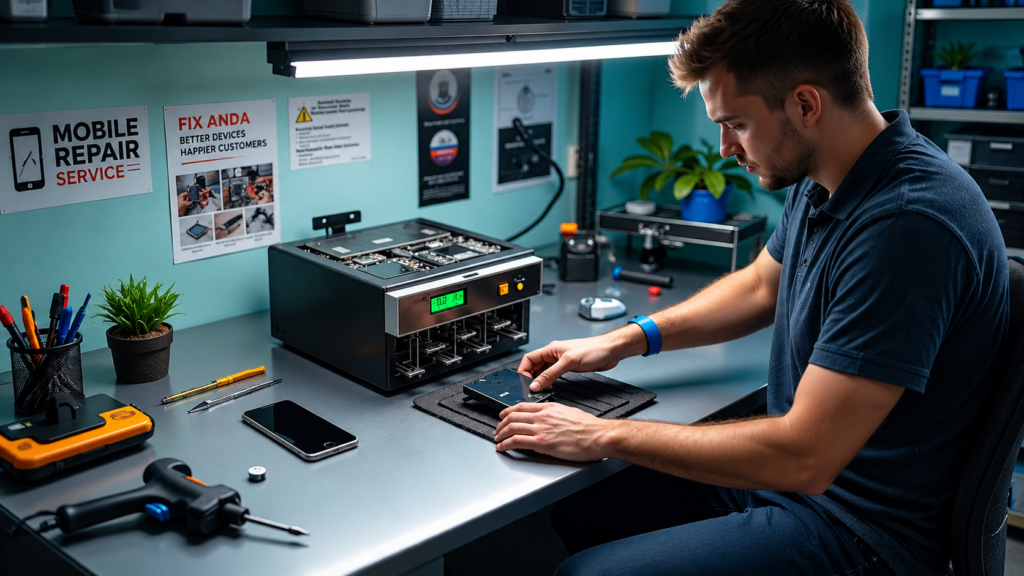
A DC Power Supply for Mobile Phone Repair is an important tool for technicians who work on smartphone motherboards and power-related faults. It provides controlled voltage and current, allowing technicians to observe how a phone or motherboard behaves during testing.
When a smartphone does not turn on, has abnormal current consumption, or appears to have a short circuit, a DC power supply can help during diagnosis. However, technicians should always use the correct voltage and current settings and follow safe testing procedures.
In this guide, we will discuss 7 easy tips for using a DC power supply for mobile phone repair and explain how it can support motherboard troubleshooting.
Why Use a DC Power Supply for Mobile Phone Repair?
A smartphone battery provides power to the device, but a bench DC power supply gives technicians greater control during testing. It can be useful for observing current consumption and checking how a motherboard responds to power.
A good DC Power Supply for Mobile Phone Repair may provide adjustable voltage, current control, a digital display, and protection features such as over-current or short-circuit protection.
For technicians, these features can make power-related troubleshooting more controlled and easier to monitor.
7 Easy Tips for Using a DC Power Supply for Mobile Phone Repair
1. Set the Correct Voltage
The first step is to select an appropriate voltage before connecting the power supply to a phone motherboard.
Always check the specifications of the device and the repair procedure you are following. Avoid randomly increasing the voltage because excessive voltage can damage sensitive components.
A controlled voltage setting is one of the most important safety practices when using a DC Power Supply for Mobile Phone Repair.
2. Start With a Suitable Current Limit
Current limiting helps reduce the risk of excessive current flowing through the circuit.
Before powering a motherboard, set a suitable current limit based on the device and the type of test being performed. If the power supply immediately reaches the current limit, stop and investigate rather than continuously increasing the limit.
This can help technicians identify unusual power behavior without unnecessarily stressing components.
3. Connect the Leads Correctly
Correct polarity is essential when connecting a DC power supply.
Generally, the positive lead connects to the positive power input and the negative lead connects to ground. Double-check the connection before switching on the supply.
A wrong connection can potentially damage components or create additional faults.
4. Observe Current Consumption
One of the main advantages of a DC Power Supply for Mobile Phone Repair is that technicians can monitor current consumption.
When power is applied, observe the current shown on the display. The behavior can provide useful diagnostic information when combined with other tests.
For example, unusual or unexpected current consumption may indicate that further inspection of the motherboard is required.
However, current readings should not be treated as a diagnosis by themselves. Technicians should combine them with visual inspection, component testing, schematics, and other appropriate repair methods.
5. Use It for Short-Circuit Troubleshooting
A DC power supply can be useful when investigating suspected short circuits on a smartphone motherboard.
If a board shows abnormal current behavior when power is applied, technicians can investigate the affected power line and components using appropriate diagnostic methods.
A microscope, multimeter, thermal camera, or other suitable equipment may be used alongside the power supply to locate the suspected problem.
For professional technicians, combining several mobile phone PCB repair tools can make troubleshooting more systematic.
6. Monitor the Power Supply During Testing
Do not simply connect the motherboard and leave it unattended.
Watch the voltage and current readings while testing. If the readings behave unexpectedly, switch off the power supply and inspect the setup.
Also check the cables, connectors, test points, and motherboard condition before continuing.
Regular monitoring is an important part of safe and controlled electronics repair.
7. Choose a Quality DC Power Supply
The quality of the power supply matters when working with sensitive smartphone electronics.
Look for features such as:
- Adjustable voltage
- Adjustable current limit
- Clear digital display
- Stable output
- Over-current protection
- Short-circuit protection
- Suitable voltage and current range
- Reliable construction
A suitable DC Power Supply for Mobile Phone Repair can become a valuable part of a professional repair workstation.
Common Mobile Phone Problems That May Require Power Testing
A DC power supply can be useful during diagnosis of several power-related problems, including:
Smartphone Not Turning On
If a phone shows no signs of power, technicians may use controlled power testing as part of the diagnostic process.
Abnormal Current Consumption
Unexpected current behavior can indicate that the motherboard requires further investigation.
Suspected Short Circuit
Controlled power testing can help technicians investigate possible short-circuit conditions.
Motherboard Power Problems
Power-related faults may require voltage measurements, current monitoring, and component-level testing.
The exact diagnostic process depends on the smartphone model, motherboard design, and fault condition.
DC Power Supply vs. Smartphone Battery
A battery is designed to provide power for normal smartphone operation. A bench power supply, on the other hand, is primarily a diagnostic and testing instrument.
A DC power supply allows technicians to control the supplied voltage and current and observe electrical behavior during troubleshooting.
For this reason, it can be especially useful in a professional mobile repair environment where technicians regularly work on motherboard-level problems.
Safety Tips When Using a DC Power Supply
Follow these basic precautions when using a DC Power Supply for Mobile Phone Repair:
- Confirm polarity before connecting the leads.
- Use an appropriate voltage setting.
- Set a sensible current limit.
- Avoid unnecessary voltage increases.
- Inspect cables and connectors before testing.
- Keep the workbench clean and organized.
- Use appropriate ESD protection when handling sensitive electronics.
- Turn off the supply before changing connections.
- Stop testing if components become unexpectedly hot.
- Follow the repair documentation for the specific device whenever available.
Safety should always take priority over speed when performing motherboard repairs.
What Other Tools Work With a DC Power Supply?
A DC power supply is more effective when used as part of a complete repair workstation.
Other useful equipment may include:
- Digital multimeter
- Stereo microscope
- Soldering station
- Hot-air rework station
- PCB holder
- Precision tweezers
- Flux and soldering materials
- Thermal camera
- ESD-safe repair mat
These tools serve different purposes and can complement power testing during mobile motherboard repair.
How to Choose the Right DC Power Supply
When buying a DC Power Supply for Mobile Phone Repair, consider the type of repairs you perform and the specifications required by the devices you work on.
Check the available voltage range, maximum current output, display accuracy, protection features, adjustment controls, and overall build quality.
For example, technicians who frequently perform smartphone motherboard troubleshooting may benefit from a supply that provides precise controls and clear current and voltage readings.
You can explore mobile repair equipment and power-supply options from Mtools.
Frequently Asked Questions
What is a DC power supply used for in mobile repair?
It is used to provide controlled DC power during testing and troubleshooting. Technicians can monitor voltage and current while diagnosing certain power and motherboard problems.
Can a DC power supply replace a phone battery?
A bench power supply is primarily a testing instrument. It should not automatically be treated as a universal replacement for the phone’s battery because connection methods and device requirements vary.
What should I check before connecting a motherboard?
Check the motherboard condition, connection points, polarity, cables, and required voltage. Make sure the power supply settings are appropriate before applying power.
Is a DC power supply useful for motherboard repair?
Yes. It can be useful for controlled power testing and monitoring current behavior during motherboard troubleshooting.
What other tools are useful for mobile motherboard repair?
A multimeter, microscope, soldering station, hot-air rework station, PCB holder, tweezers, and appropriate soldering materials can complement a DC power supply.
Conclusion
A DC Power Supply for Mobile Phone Repair is a valuable diagnostic tool for technicians working with smartphone power and motherboard problems. By using controlled voltage, setting appropriate current limits, checking polarity, and monitoring current consumption, technicians can perform power testing in a more systematic way.
The best results come from combining the power supply with other professional tools and following safe repair procedures. Whether you are learning mobile motherboard repair or improving an existing repair workstation, understanding how to use a DC power supply is an important practical skill.